In early September, inspectors started sending us blurry photos. Not every photo, and not on every phone. A gutter shot that should have been crisp came back soft. A kitchen photo smeared at the slightest shake. Tapping the screen to focus did nothing at all.
Travis, our founder, hit it on his own inspections the same week. His description was the most useful thing anyone sent us: "Photos start out blurry. If I tap .5 then pinch in, it works, but tapping 1 immediately softens it."
That sentence made no sense. Until we looked at the photos themselves.
Every photo knows which lens took it
When an iPhone takes a photo, it writes down the details: which lens, the shutter speed, the light sensitivity, the zoom. AEYES keeps those details when it uploads your photos, so we could read them back.
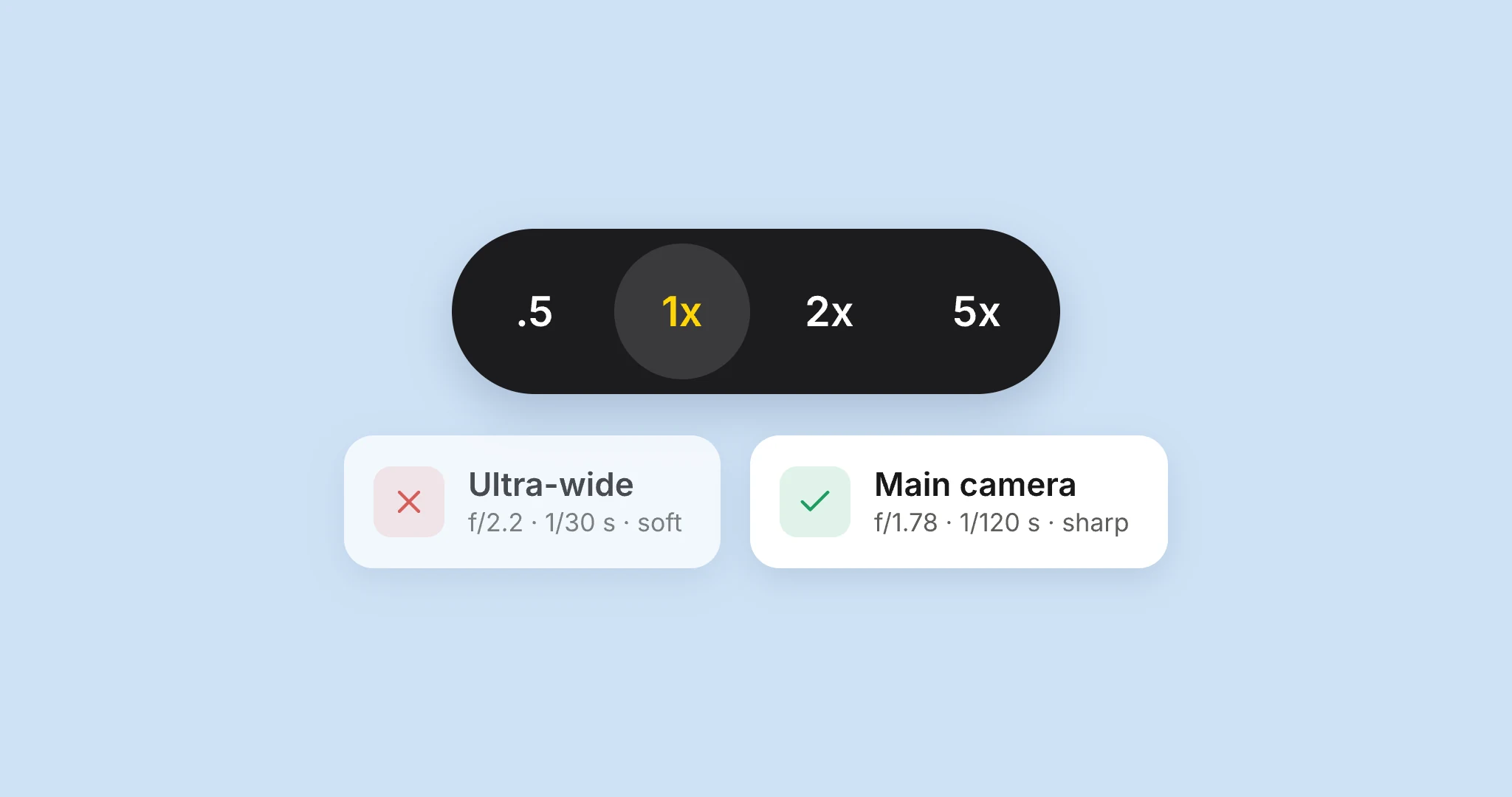
Every soft photo from that morning had been taken on the ultra-wide lens, at around 1/30 of a second. The moment his photos turned sharp again, the lens switched to the main camera, at 1/120 of a second. Same phone, same rooms, a few minutes apart.
That explains every symptom. The ultra-wide is the 0.5x lens. Its sensor is small, so indoors it needs a slow shutter, and a slow shutter turns a tiny hand movement into blur. It also only really focuses up close, which is why tapping to focus seemed to do nothing.
The photos weren’t blurry because of a bad lens. They were blurry because the app was on the wrong one, and nobody had asked it to be.
The phone handed us the wrong lens
The obvious explanation was that inspectors were tapping 0.5x for an overview and the app stayed there. Some of that was real: back then, pinching in from 0.5x kept you on the ultra-wide, where Apple’s Camera app switches to the main lens as you pass 1x.
But it didn’t explain Travis. He tapped 1x, the app asked the phone for the main camera, and the photos still came from the ultra-wide.
The pattern gave it away. The same phone, on the same version of AEYES, would be fine one day and wrong the next. Another inspector with the exact same phone and the exact same app never saw it at all. It followed the phone and the day, not the app.
The only explanation that fits every photo: on some iPhone Pro Max phones, on some days, iOS was handing the app its two lenses with each other’s labels. Ask for the main camera, get the ultra-wide. Ask for the ultra-wide, get the main camera. That also explains Travis’s workaround: on a phone in that state, tapping .5x got him the sharp lens.
What we changed
We can’t fix iOS. We can stop trusting it blindly. Since version 1.6 on iPhone:
- AEYES checks the lens it gets. The ultra-wide can zoom in far less than the main camera can. If the lens labelled "main" can’t zoom like a main camera, AEYES knows the labels are swapped and corrects them on the spot.
- Pinching past 1x switches lenses, both ways, the way Apple’s Camera app does.
- 5x uses the telephoto lens. Before, 5x was a digital crop of the main camera, which is why zoomed-in shots looked mushy.
- Every photo records the lens it was taken with. Finding this meant reading photo files one by one. Next time, it’s one look.
Why we’re telling you this
Blurry photos are the kind of problem that gets blamed on the inspector: steady your hand, clean your lens. This time the cause was a step removed from anything you could see on the screen.
If something in AEYES ever feels off in the field, tell us, in your own words, the way Travis did. Half a sentence about what you tapped and what happened is often what cracks it.