TREC REI 7-6 reports, drafted from your photos.
Snap and say what you see. AEYES fills in the TREC Property Inspection Report: lettered sections, named fields and numbered comments. You approve every finding before it goes out.

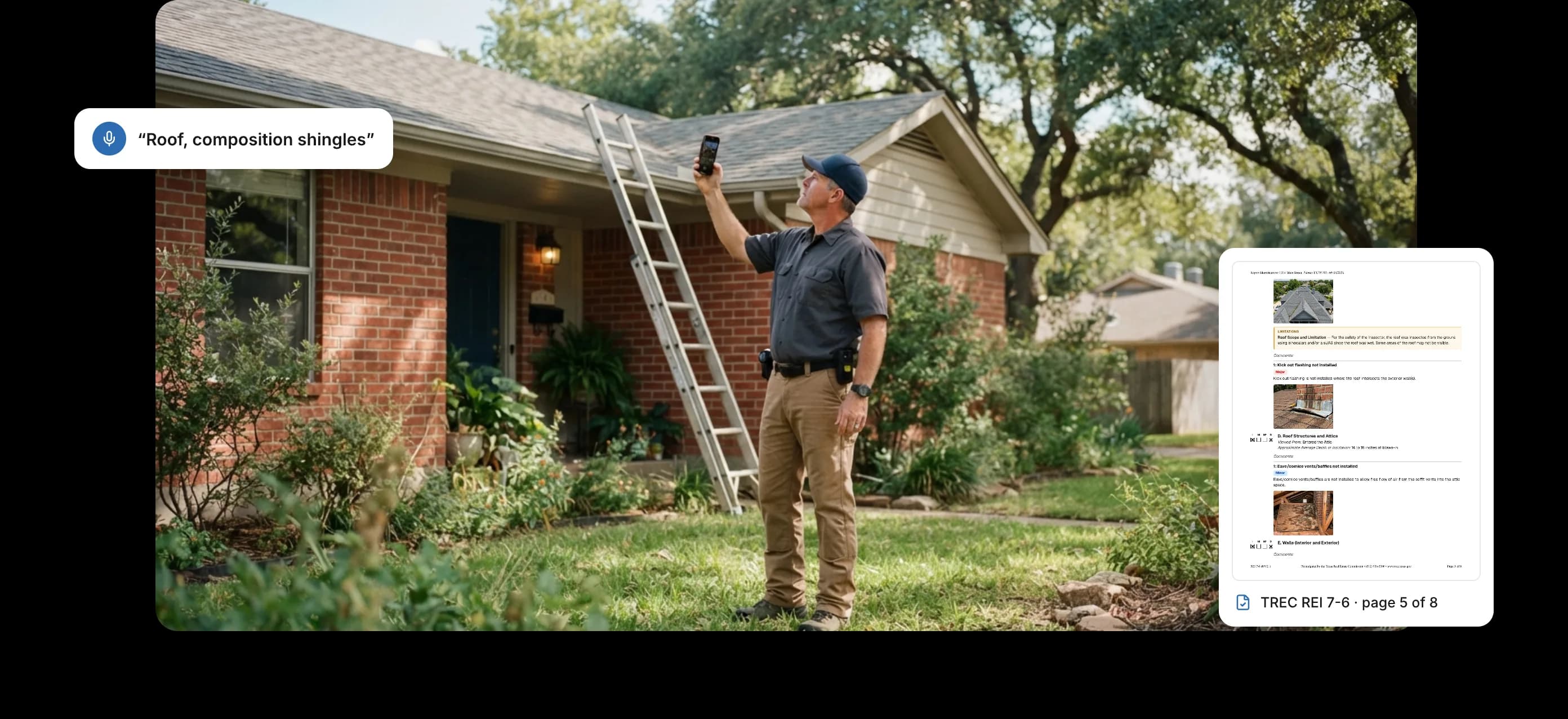
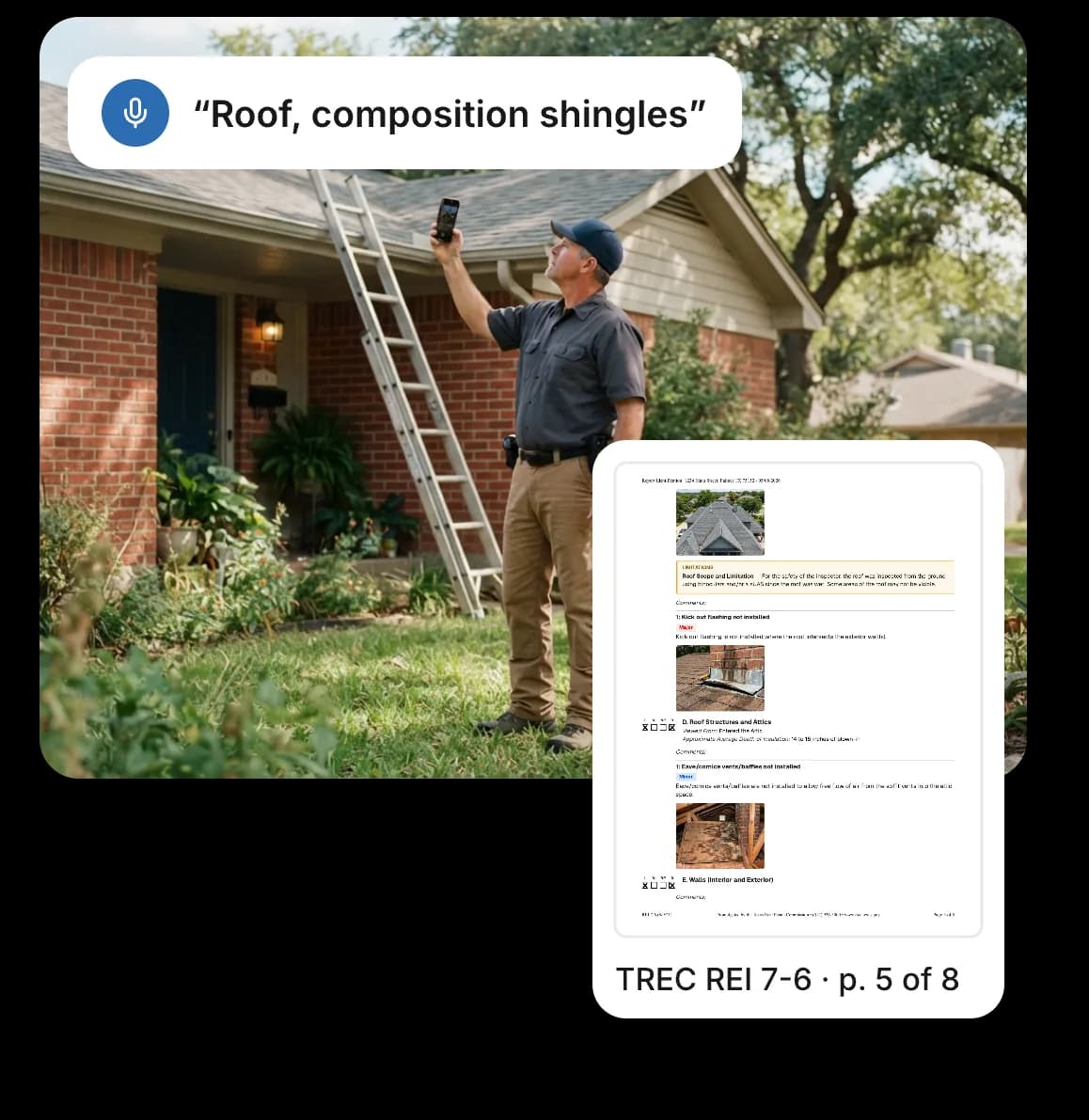
The TREC form, done properly
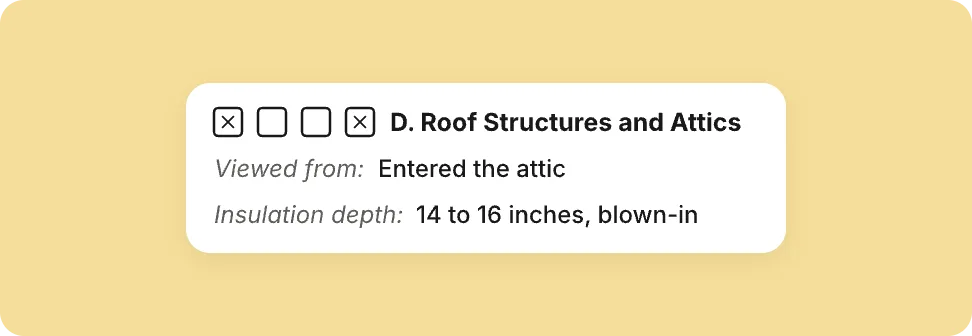
Lettered sections, named fields
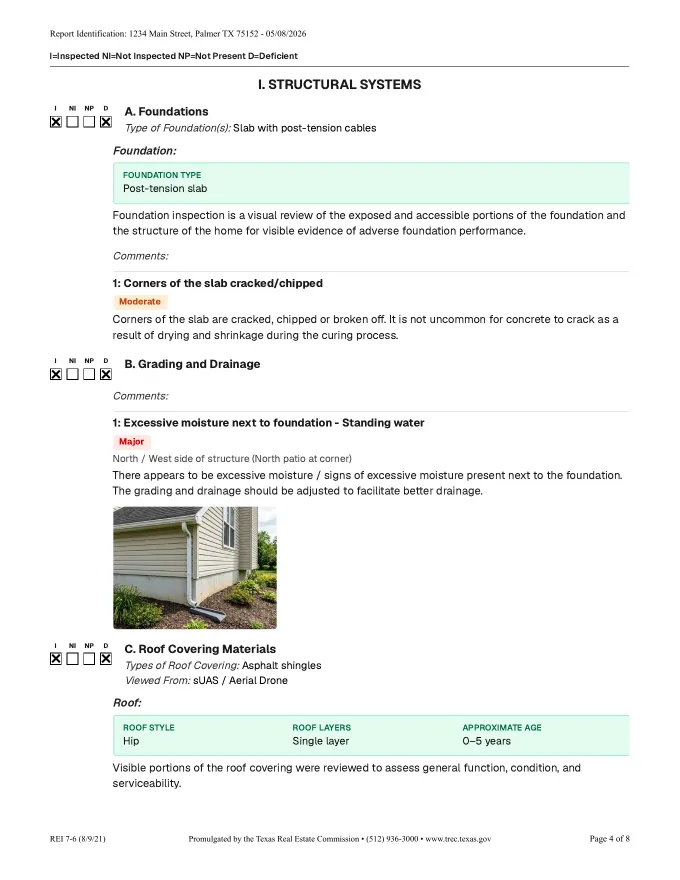
Sections I–VI with their lettered items. Fields like roof covering, viewed from, attic access, plumbing locations, HVAC type and water heater fuel and capacity are filled from what you captured.
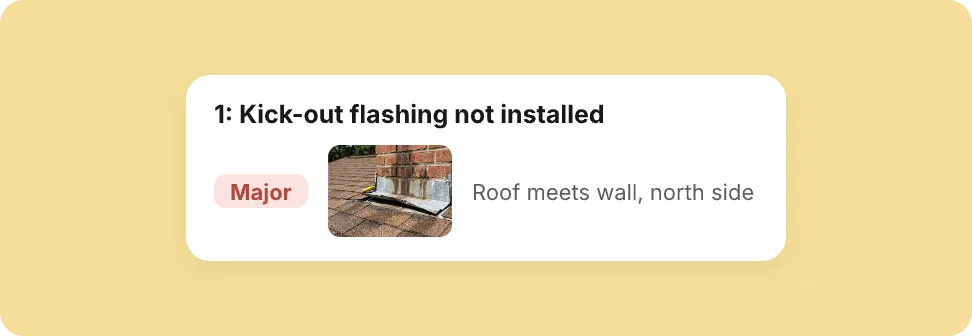
Comments TREC readers expect
Comments are numbered per section and grouped by system. Each sub-system gets a details box, notes and captioned photos.
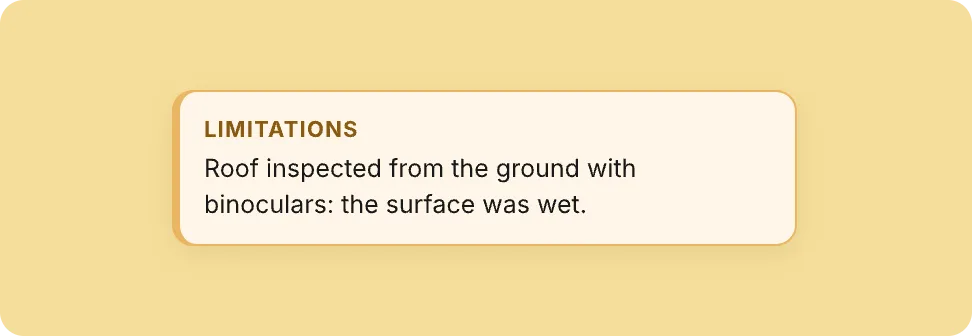
Limitations stated plainly
Wet roof or blocked attic hatch? A limitation banner states what you couldn’t inspect and why.

Added for Texas properties
TREC is added automatically when the property is in Texas, decided per inspection, so offices in any state can use it. Your home inspector license prints on the form.
What your client gets
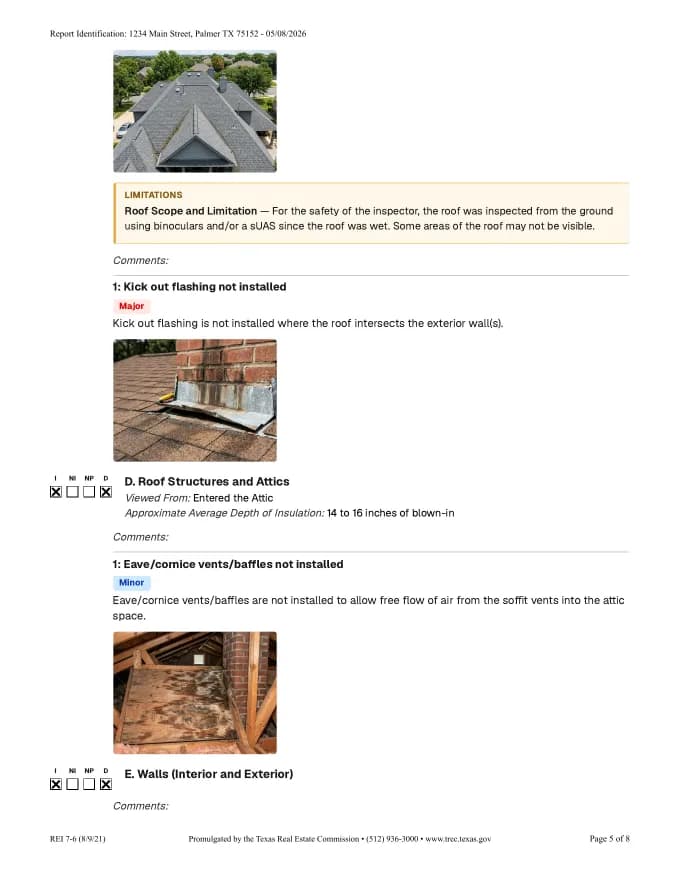
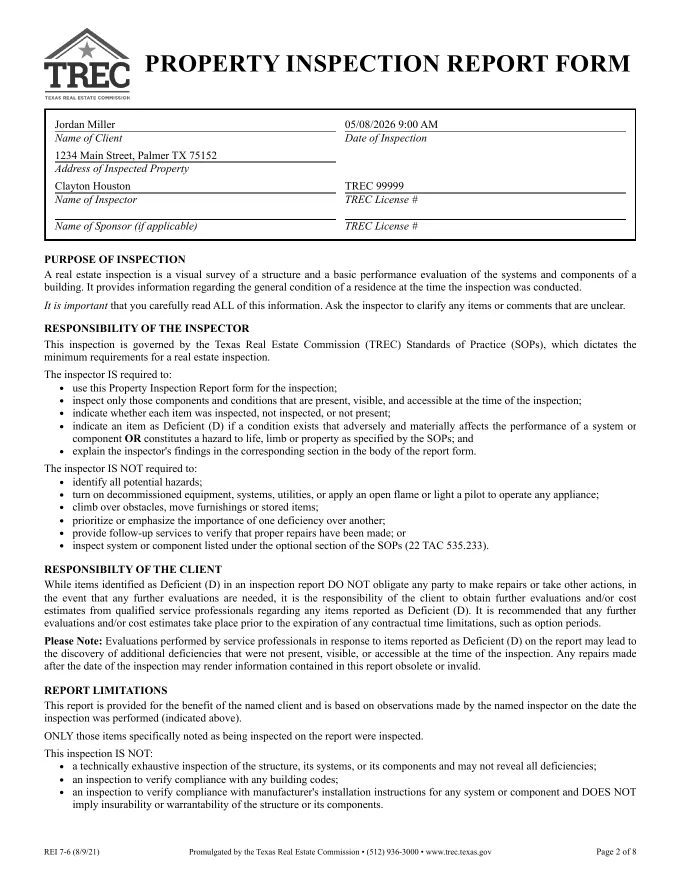
Real pages from an AEYES TREC report. The client is made up; the output isn’t.
How it works on site
Inspect the way you already do. The form keeps up.
- 01Start the inspectionFor a Texas property, the TREC report is added to the inspection automatically. Nothing to set up.
- 02Snap and say itPhotograph and describe what you see. AEYES drafts the finding and fills the matching TREC fields, like roof covering and how you viewed it.
- 03Approve the draftsEach finding becomes a numbered comment with its photo. Approve, edit or skip it.
- 04Send the REI 7-6Your client gets the REI 7-6 PDF, with your license on the form.
TREC questions
Do I need a separate TREC template?
No. For a Texas property, AEYES adds the TREC report to the inspection and fills it from what you capture, so there’s no second template to keep up.
Which Texas properties get the TREC form?
Any inspection where the property is in Texas. AEYES decides it per inspection, from the property’s address.
Our office isn’t in Texas. Can we still use it?
Yes. The TREC report follows the property, not the office, so an office in any state gets it on its Texas inspections.
Can I edit the comments before the report goes out?
Yes. Every finding is a draft until you approve it, and you can change the wording first.
Does the report include my license number?
Yes. Your home inspector license prints on the form.
What does my client receive?
The REI 7-6 report as a PDF: the official form pages, then each section with its findings, photos and limitations.
Go deeper
Your next Texas inspection, with the form done on site.
Your first inspection is free, no card. The TREC report is added for Texas properties automatically.