Most of the house is easy for a phone. Basements, crawlspaces and the far corner of a rural lot are not. Over the summer we spent a lot of time on what happens to AEYES down there, and it turned out to be three different problems.
No signal is the easy one
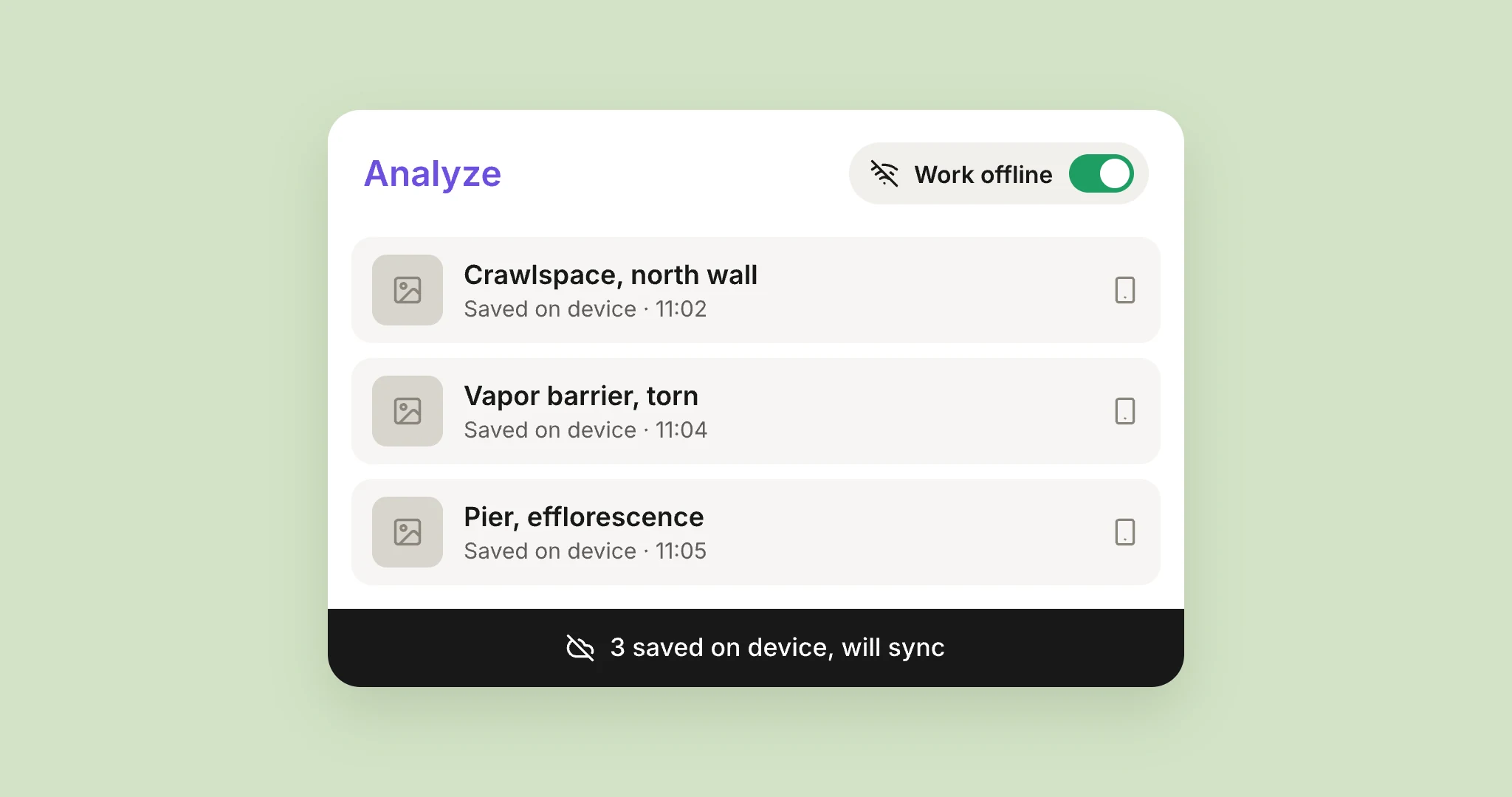
When your phone knows it’s offline, AEYES just keeps working. Photos are saved on the phone, the findings you’ve already got stay open, and the line at the bottom of the screen tells you how many items are waiting: "3 saved on device, will sync."
When the signal comes back, AEYES sends everything and drafts the findings for the photos you took while you were down there. If the connection is still too weak, it pauses with a Retry button instead of trying forever. Nothing gets thrown away because it took too long.
Bad signal is worse than no signal
The hard case is one bar. The phone believes it’s online, so the app believes it too, and starts sending.
We saw this on one inspector’s day in August. Her uplink in that house was so slow that a single photo took well over a minute to upload. The app was sending three photos at once, and the small messages that tell AEYES "draft a finding for this one" got stuck in line behind them. They timed out, retried, and timed out again. To her, it looked like the app froze after every photo. She closed and reopened it seventeen times that day.
Every photo she took arrived safely. But nobody should have to find that out by force-quitting.
A phone with one bar doesn’t fail. It just takes forever, and the app has to know the difference.
What changed:
- Uploads get the time they need. A big photo on a slow link is now allowed to take longer, instead of being cut off and sent again from the start.
- Approving never waits for the network. Tap approve and the finding moves on right away. It saves in the background, and if the signal is too weak it waits its turn and goes out later.
- You can tell AEYES to stop trying. Chris, who has done his share of crawlspaces, asked for a switch. Tap Work offline at the top of the queue, and AEYES stops reaching for a signal that isn’t there until you switch it back.
And then the phone got hot
In late September, Travis came up from forty minutes in a basement with a hot phone.
The app’s own records showed why. Upstairs, a photo uploaded in about two seconds. In that basement, each one took close to a minute, three at a time, so the phone’s radio worked at full power for half an hour. On top of that, the camera preview kept running between photos.
What changed:
- AEYES slows down when the phone does. When uploads start crawling, or the phone reports that it’s getting hot, AEYES sends one photo at a time instead of three, then speeds back up when things recover.
- The camera rests when you do. After a minute without a touch, the preview pauses. Tap the screen to wake it. If you use the side button to take photos, the first press wakes the camera, so no photo is taken by accident.
The common thread
None of these were exotic. Basements are part of every inspection, and phones get warm. What they have in common is that you only find them in the field, never at a desk with good Wi-Fi.
So we keep going down there with them. If AEYES does something odd in a crawlspace, we want to hear about it.